How to Set Up Online Banking with a Kazakhstani Bank
Alright, let's talk about something that can feel like cracking a secret code when you first arrive in Kazakhstan: online banking. I remember the days when everything felt like a trip to the bank branch, waiting in lines, and trying to communicate complex requests with limited Russian. It was a real headache. But trust me, once you get your online banking set up with a local Kazakhstani bank, it's a game-changer. This guide is going to walk you through exactly how to set up and effectively use online banking, making your financial life here so much smoother.
Why Online Banking is Absolutely Essential for Expats in Kazakhstan
When you're new to Kazakhstan, every little task can feel like a monumental effort, especially when it involves navigating bureaucracy or language barriers. Online banking isn't just a convenience here; it's practically a necessity for maintaining your sanity and efficiently managing your money. Forget the days of constantly running to a physical branch for every transaction – that's just not sustainable for our busy expat lives.
Convenience and Accessibility in a New Country
Imagine needing to pay a utility bill, top up your phone, or send money to a friend, but you’re stuck at work, or it’s a public holiday, or you simply don't have the energy to tackle the traffic and queues. This is where online banking swoops in like a superhero. Having the ability to manage your finances from your phone or laptop, at any time of day or night, regardless of your location, is incredibly liberating. It cuts through so many of the common frustrations expats face, like trying to figure out which bus goes to your specific bank branch or wrestling with Google Translate to explain what you need to do to a teller.
Moreover, while many large cities like Almaty and Astana have bank branches that are quite modern, and some even have English-speaking staff, relying solely on in-person services for your day-to-day banking is simply inefficient. Online banking frees up your precious time, allowing you to focus on work, exploring your new home, or simply relaxing. It's about taking control of your financial life on your terms, not the bank's.
Managing Finances Remotely and Cross-Border Considerations
For many expats, life in Kazakhstan isn't just about local transactions; it often involves managing finances across borders. Perhaps you're still paying a mortgage back home, receiving income from a foreign source, or sending money to family in another country. Online banking becomes the central hub for these operations. While Kazakhstani banks have their own international transfer systems, it's also where you'll monitor funds coming in from services like Wise, which many expats prefer for its transparent fees and better exchange rates when sending money globally.
Monitoring your account, checking balances, and reviewing transaction histories becomes incredibly easy. This remote access is particularly invaluable if you travel frequently for work or leisure, giving you peace of mind that your finances are accessible and secure even when you're outside the country. It helps you stay on top of any unexpected activity and ensures you don't miss crucial payment deadlines, no matter where in the world you happen to be.
Bill Payments and Transfers Made Easy
Let's be real, paying bills in a new country can be baffling. From figuring out the correct payment codes for utilities to understanding rental payment cycles, it's a minefield. Online banking, especially through the apps offered by major Kazakhstani banks, simplifies this dramatically. You can often pay for your electricity, water, internet, and even mobile phone top-ups with just a few taps. This eliminates the need for separate apps, cash payments at kiosks, or trips to the post office.
Beyond routine bill payments, transferring money between accounts, or to friends and colleagues within Kazakhstan, is instantaneous and straightforward. Many local apps integrate seamlessly with other services, allowing you to pay for ride-sharing, food delivery, or even movie tickets directly from your banking app. This integration is a huge time-saver and makes navigating daily life here significantly less cumbersome. It transforms what could be a series of small, annoying tasks into a smooth, integrated experience.
Pre-requisites for Setting Up Online Banking
Before you can even dream of tapping away on your phone to transfer funds or check your balance, there are a few foundational steps you absolutely must have in place. Think of these as your building blocks; without them, the whole online banking structure won't stand. Expats often get tripped up here, so let's make sure you're properly prepared.
Having a Valid Bank Account in Kazakhstan
This might sound like stating the obvious, but you can't have online banking without a bank account! The process of How to Open a Bank Account at a Kazakhstani Bank as a Foreigner can sometimes feel like a gauntlet, involving your passport, visa/residence permit, and crucially, your Individual Identification Number (IIN). Your IIN is your personal tax ID and is absolutely non-negotiable for most administrative and financial actions in Kazakhstan. If you haven't sorted this out yet, stop reading and get your IIN first – it's like your personal fingerprint for everything here.
Once you have your account, make sure it’s active and that you’ve received your debit card. Often, the bank will register you for their basic online services during the account opening process itself, or at least provide you with initial login details. Don't leave the branch without clarifying this point. Many expats find that they need to explicitly ask for online banking setup or for an English-speaking representative to guide them through the initial steps while they are still physically at the bank.
Essential Personal Documents and Contact Information
When setting up online banking, especially if you're doing it independently after opening your account, you'll need to have certain information readily available. This typically includes:
- Your IIN: As mentioned, this is paramount.
- Your mobile phone number: This is critical because almost all online banking in Kazakhstan relies on SMS verification codes (one-time passwords or OTPs) for login and transaction confirmation. Make sure it's a local Kazakhstani number that you own and have constant access to. Trying to use an international number for this purpose is usually a recipe for disaster.
- Your email address: This is often used for notifications, password resets, and sometimes even initial registration.
- Your passport or ID: While you might not need the physical document, having your details handy for security questions or confirmation is wise.
Beyond these, some banks might ask for your mother's maiden name or other security questions. It’s always best to be prepared. The golden rule here is consistency: use the same phone number and email address that you provided when you initially opened your bank account. Any discrepancies can flag your setup as suspicious and cause delays.
Understanding Mobile App vs. Web Portal
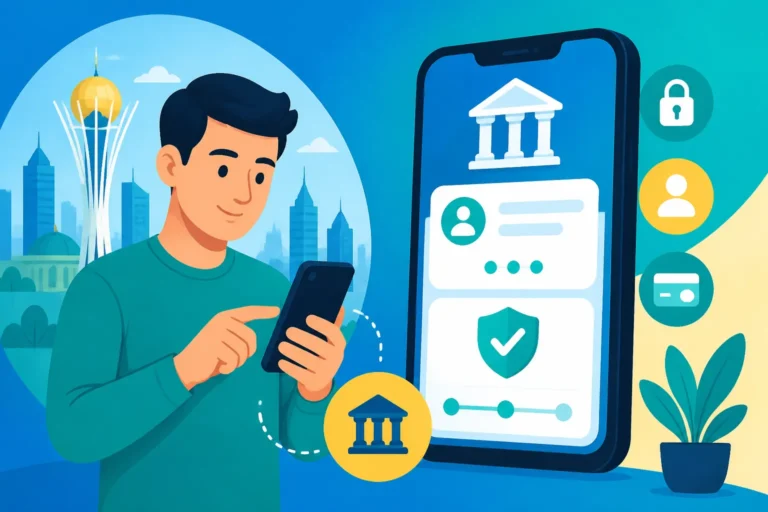
In Kazakhstan, particularly with the more popular banks, the mobile application is often the primary and most robust online banking interface. Banks like Kaspi.kz are practically app-first, with their web portal being a more streamlined version of what you get on your phone. Other banks, like Halyk Bank, offer comprehensive web portals alongside their mobile apps.
It’s worth familiarizing yourself with both, but prioritize getting the mobile app set up. The apps are typically designed for ease of use, offer biometric login (fingerprint or face ID), and integrate better with other local services. However, the web portal can be useful for more complex transactions, viewing detailed statements, or if you simply prefer working on a larger screen. During the setup phase, ensure you download the official app from your phone's app store (Google Play or Apple App Store) and not a third-party clone. Double-check the developer name to avoid phishing scams – an unfortunately common concern everywhere.
The Step-by-Step Process for Major Banks
Navigating the online banking setup for the first time can feel a bit like learning a new language – because often, you literally are. However, the good news is that Kazakhstani banks have invested heavily in their digital platforms, making them generally quite user-friendly once you get the hang of it. Let's look at the giants in the room.
Kaspi.kz: The Dominant Player and Its App-First Approach
Kaspi.kz is an absolute phenomenon in Kazakhstan. It’s not just a bank; it’s a super-app that most expats quickly come to rely on. Think of it as a blend of banking, marketplace, payment system, and much more. Its app-first approach means you’ll primarily be doing everything from your smartphone.
Setting up Kaspi.kz:
- Account Opening: You'll first need to open a Kaspi.kz account and get a Kaspi Gold card. This usually happens in person at a Kaspi kiosk or branch, where they’ll help you register your phone number and IIN.
- Downloading the App: Once your card is active, download the "Kaspi.kz" app from your phone's official app store.
- Initial Login: Open the app and enter the phone number you registered with the bank. Kaspi will send an SMS code to that number. Enter it to verify.
- Creating a PIN/Biometrics: You'll then be prompted to create a 4-digit Kaspi PIN. This is your primary login method. You can also enable fingerprint or face ID for quicker access, which is highly recommended for convenience.
- Exploring Features: Congratulations! You're in. The Kaspi.kz app is incredibly intuitive. You can pay utilities, transfer money (including to other Kaspi users via phone number, which is very common here), view your card details, access credit products, and even shop on their marketplace.
The simplicity and ubiquity of Kaspi.kz mean that nearly every local business, small vendor, and even individual accepts Kaspi payments. This is why it becomes an indispensable tool for daily life. The English language option within the app is generally quite good, further easing the transition for expats.
Halyk Bank: Traditional but Modernised Banking
Halyk Bank is Kazakhstan’s largest commercial bank, with a long history. While perhaps not as flashy and app-centric as Kaspi, Halyk has a robust online banking system and a comprehensive mobile app. Their services cater to a wide range of needs, including corporate banking and more traditional financial products.
Setting up Halyk Bank Online Banking:
- Account and Card: First, you need an active Halyk Bank account and a debit card. During the account opening process, make sure you ask for online banking registration. They typically provide you with a temporary username and password, or instructions to register online.
- Downloading the App (Halyk): Search for "Halyk" in your app store. Download and install the official Halyk Bank mobile application.
- Web Portal Registration (Alternative): If you prefer using a computer or weren't registered at the branch, you can visit the Halyk Bank website. Look for a "Register" or "Sign Up" option for online banking. You'll typically need to input your card number, IIN, and phone number.
- Verification: Similar to Kaspi, Halyk relies on SMS verification codes. You'll receive an OTP to your registered phone number to confirm your identity during registration and subsequent logins for secure transactions.
- Creating Credentials: You'll set up your own username and password. Remember to choose strong, unique credentials. Once logged in, you can explore features like checking balances, viewing statements, making transfers (both within Halyk and to other banks), and paying various services.
Halyk Bank’s online system might feel a bit more formal than Kaspi’s, but it’s very reliable. They also have an English interface option for both their app and web portal, which is a massive relief. For more in-depth financial management, a secure web portal can be very useful.
Other Banks: ForteBank, Jusan Bank, and Similarities
While Kaspi.kz and Halyk Bank dominate the retail banking landscape, other banks like ForteBank and Jusan Bank also offer modern online banking solutions. The general process for setting these up follows a similar pattern to Halyk Bank:
- Open an Account: You need an active bank account with a debit card.
- Register for Online Services: This can usually be done at the branch during account opening, or later via their website or mobile app, using your IIN, card details, and registered phone number.
- Download the App: Locate and download their official mobile application from your app store.
- Verify and Log In: Use your registered phone number and SMS codes for verification and to set up your login credentials (PIN, password, biometrics).
Each bank will have its own specific interface and features, but the core functionalities – checking balances, making transfers, and paying bills – are universal. For instance, ForteBank's app is quite user-friendly and offers various payment options, while Jusan Bank also integrates a marketplace and other services within its app, mirroring Kaspi's super-app strategy to some extent. Many expats appreciate the options that these banks provide, particularly if their employer has an existing relationship with a specific bank.
No matter which bank you choose, always verify that you are on the official website or downloading the official app. Phishing attempts are unfortunately common, so staying vigilant is key to protecting your financial information.
Navigating Common Challenges and Troubleshooting
Even with the best intentions and clear instructions, you're bound to hit a snag or two when dealing with anything bureaucratic or digital in a foreign country. Online banking in Kazakhstan is no exception. Trust me, I’ve been there, staring blankly at my phone screen, wondering why an SMS code isn't arriving or why a transfer seems stuck.
Language Barriers and Interface Issues
This is probably the most common hurdle. While major banks like Kaspi.kz and Halyk Bank generally offer English language options within their apps and web portals, sometimes the translation isn't perfect, or crucial instructions might only be available in Kazakh or Russian. It's not uncommon to find a button for "payments" clearly translated, but then the sub-category for "municipal services" might only be in Cyrillic.
Troubleshooting Tips:
- Switching Language: Always check for a language toggle (often a flag icon or "EN/RU/KZ" button) within the app or on the website. Sometimes, it’s hidden deep in the settings.
- Screenshots and Translate: If you're really stuck, take a screenshot of the confusing screen. Most modern phone cameras have a built-in translate feature, or you can use the Google Translate app to decipher the text. This is a lifesaver for identifying specific fields or error messages.
- Ask a Local: Don't be shy about asking a Kazakhstani colleague or friend for help. They are usually more than willing to assist in translating or guiding you through the steps. This can also be a great opportunity to practice your Russian or Kazakh!
- Customer Support: While often in Russian, many banks have dedicated English-speaking customer support lines or chat features. Be patient, as it might take a while to get through to someone who can help in English.
Two-Factor Authentication Glitches
Two-factor authentication (2FA), usually via SMS codes, is a critical security layer. However, it can also be a source of frustration. What happens if the SMS code doesn't arrive? Or if you've lost your phone, or are travelling abroad and your local SIM card isn't active?
Common 2FA Issues and Solutions:
- No SMS Code Arriving:
- Check Signal: Ensure you have good mobile network signal.
- Wait a Minute: Sometimes there's a slight delay. Wait for 60 seconds before requesting a new code.
- Check Spam/Blocked: Less common for SMS, but ensure your phone isn't blocking messages from unknown numbers.
- Contact Bank: If persistent, there might be an issue with your registered phone number in their system. You'll need to call customer support or visit a branch to verify/update it.
- Lost/Stolen Phone: This is a nightmare scenario. Immediately contact your bank to block access to your online banking and potentially freeze your card. Inform your mobile provider to block your SIM. Once you have a new phone and SIM, you'll need to re-verify your identity with the bank, likely in person, to regain online banking access.
- Traveling Abroad: If you plan to travel, ensure your Kazakhstani SIM card is set up for international roaming to receive SMS codes. Alternatively, some banks offer alternative 2FA methods (e.g., in-app push notifications or dedicated authenticator apps), but these are less common as primary methods here. Always check with your bank before you leave the country.
Account Freezes and Verification Issues
Occasionally, your account might get temporarily frozen, or you might encounter issues with transactions being blocked. This can be alarming, but it's often due to routine security checks or expired documents.
Reasons for Account Freezes/Verification:
- Suspicious Activity: Banks are vigilant. Large, unusual, or frequent transactions, especially international ones, might trigger a temporary freeze until they verify it's you.
- Expired Documents: Your visa, residence permit, or even your passport might have expired or be nearing expiry. Banks need up-to-date KYC (Know Your Customer) information.
- Mandatory Updates: Banks periodically require customers to update their personal information or re-confirm their identity, especially if there have been changes to local regulations.
What to Do:
- Check Messages: Look for any SMS or in-app notifications from your bank explaining the issue.
- Contact Support: This is usually the fastest way to understand the problem. Again, patience and asking for an English speaker are key.
- Visit a Branch: For more complex issues, especially those related to identity verification or expired documents, a trip to the bank branch with all your original documents (passport, IIN certificate, residence permit) is often necessary. Be prepared for a bit of a wait and potentially needing to fill out some forms.
- Proactive Document Updates: To avoid future issues, make a note of your document expiry dates and proactively update them with your bank before they lapse. This foresight can save you a lot of hassle.
Advanced Features and Maximizing Your Online Banking
Once you’ve mastered the basics of checking balances and paying bills, you’ll discover that Kazakhstani online banking, particularly with Kaspi.kz, offers a suite of advanced features that can truly simplify your financial life. These aren't just bells and whistles; they’re tools that can save you time and money.
International Transfers and Currency Exchange
For expats, the ability to move money internationally is paramount. While your local bank's online platform will offer international transfer options, understanding their rates and fees is crucial. Banks typically use the SWIFT system, which can sometimes be slower and incur higher fees compared to dedicated money transfer services.
Using Bank Transfers:
- You'll find options for international transfers (often labelled "SWIFT transfer" or "International Payments") within your online banking portal or app.
- You'll need the recipient's bank details, including their full name, account number/IBAN, bank name, bank address, and SWIFT/BIC code.
- Be prepared for processing times that can range from a few business days to a week, and keep an eye on the exchange rates offered by the bank, as they might include a margin.
Leveraging Third-Party Services: This is where services like Wise (formerly TransferWise) really shine. Many expats use Wise for international transfers because it offers transparent, often lower fees and more competitive exchange rates compared to traditional banks. While you can’t directly integrate Wise into your Kazakhstani bank’s app, you’ll use your local online banking to send funds to your Wise account (usually via a local bank transfer, which is free or very cheap) and then initiate the international transfer from the Wise platform. This two-step process often saves a significant amount. Being able to easily send money abroad through online banking means you can continue to manage your financial obligations back home, whether it's supporting family or handling overseas investments. For further guidance, check out How to Transfer Money Into and Out of Kazakhstan as an Expat.
Investment and Savings Features
Many Kazakhstani banks, particularly within their sophisticated apps, now offer various savings and investment products that you can manage directly online. This means you don't have to visit a financial advisor or a branch to open a deposit account or start investing.
Typical Online Options Include:
- Term Deposits (Deposits): You can open fixed-term deposit accounts directly through the app, choosing the term length and seeing the interest rates. This is a straightforward way to earn a bit extra on your savings in Tenge.
- Brokerage Services: Some banks, or their affiliated companies, offer online access to brokerage accounts, allowing you to invest in local or international stocks and bonds. This is usually more advanced and requires a deeper understanding, but the convenience of managing it digitally is undeniable.
- Accumulation Accounts: These are flexible savings accounts, often integrated with your main debit card, that allow you to easily set aside money.
Always read the terms and conditions carefully before committing to any investment product. While the online convenience is appealing, understanding the risks and rewards is paramount. Managing your Tenge (KZT) effectively can be greatly simplified by utilizing these in-app features. To understand more about local currency and foreign currency options, refer to Understanding the Tenge KZT and Foreign Currency Accounts in Kazakhstan.
Integrating with eGov and Other Services
Kazakhstan is very big on digital government services, and your banking apps often serve as a convenient portal or at least facilitate payments for these services. The eGov portal is central to administrative tasks, and your bank often works hand-in-hand with it.
Examples of Integration:
- Government Service Payments: Many government fees, fines, and service charges (e.g., for registering your address, renewing documents, or traffic fines) can be paid directly through your banking app. Kaspi.kz, in particular, has a very extensive "Payments" section that includes almost every conceivable government service.
- Identification and Verification: Your bank account and registered phone number are often linked to your IIN, which is how eGov services verify your identity. This seamless connection means you can often confirm actions or payments within the eGov system using your bank's authentication methods. This streamlined approach makes dealing with administrative tasks much less daunting for expats.
- Tax Payments: While a dedicated platform like the Taxpayer Cabinet is used for Filing Your Tax Return with the State Revenue Committee in Kazakhstan The Complete Walkthrough 2026, your online bank account is the easiest way to make those actual tax payments. You can often find the relevant payment codes and make direct transfers to the State Revenue Committee. This digital connectivity is a huge help, especially when dealing with entities like Taxes for Expats for complex international tax situations, as it ensures your local payments are correctly made and recorded.
This table provides a quick overview of some common features and aspects of major Kazakhstani banks’ online services:
| Feature/Aspect | Kaspi.kz | Halyk Bank | ForteBank | Jusan Bank |
|---|---|---|---|---|
| Primary Interface | Mobile App (Super App) | Mobile App & Web Portal | Mobile App & Web Portal | Mobile App (integrates marketplace) |
| Ease of Setup | Very easy, often done at kiosk/branch | Easy, can register online or at branch | Easy, online or at branch | Easy, online or at branch |
| English Language | Excellent in app, limited web portal | Good in app & web portal | Good in app & web portal | Good in app |
| Local Transfers | Instant, free (phone number/card number) | Instant (Halyk-to-Halyk), interbank transfers | Instant (Forte-to-Forte), interbank transfers | Instant (Jusan-to-Jusan), interbank transfers |
| Bill Payments | Extensive range (utilities, mobile, govt.) | Wide range (utilities, mobile, govt.) | Wide range (utilities, mobile, govt.) | Wide range (utilities, mobile, govt.) |
| International Xfers | Available (SWIFT), also via third-party partners | Available (SWIFT) | Available (SWIFT) | Available (SWIFT) |
| Investment Options | Basic deposits, some investment products | Broader range of deposits, investment products | Deposits, some investment products | Deposits, some investment products |
| Additional Services | Marketplace, P2P loans, travel, insurance | Insurance, corporate services, pensions | Concierge services, lifestyle integration | Marketplace, loyalty programs, crypto (limited) |
| Customer Support | Strong in-app chat, call center | Call center, branch support, online chat | Call center, branch support, online chat | Call center, branch support, online chat |
Note: Features and offerings can change. Always check the bank's official website or app for the most current information.
Security Best Practices for Online Banking in Kazakhstan
In the digital age, convenience often comes with risks, and online banking is no different. As an expat, you might already be more vigilant, but it's crucial to understand the specific security landscape in Kazakhstan. Protecting your online banking credentials is paramount to safeguarding your finances and preventing identity theft. Believe me, the last thing you want is a financial headache in a foreign country.
Protecting Your Credentials
Your login details are the keys to your financial kingdom. Treat them with the utmost care. This isn't just about common sense; it's about forming habits that keep you secure.
- Strong, Unique Passwords/PINs: Never use obvious passwords like birthdays, "123456," or "password." Create a complex password (for web portals) with a mix of uppercase and lowercase letters, numbers, and symbols. For app PINs, avoid sequential or repeating numbers. More importantly, use a unique password for your online banking – do not reuse passwords from other sites or services. If one of those gets compromised, your bank account could be next.
- Biometric Security: Enable fingerprint or face ID login on your mobile banking app. This adds an extra layer of security, as it's much harder for someone to impersonate your biometrics than to guess a PIN. It also makes logging in a breeze.
- Avoid Writing Them Down: It might seem convenient to jot down your PIN or password, but it's a huge security risk. If you struggle to remember multiple strong passwords, consider using a reputable password manager.
- Beware of Phishing: This is arguably the biggest threat. Phishing attempts often come in the form of fake emails or SMS messages pretending to be from your bank. These messages will typically ask you to click a link and log in, often to a fake website designed to steal your credentials.
- Always check the sender: Is it the exact email address or phone number your bank uses?
- Examine the link: Hover over links in emails (don't click!) to see the actual URL. It should clearly be your bank's official website, not something similar with a typo.
- Never give out full credentials: Your bank will never ask you for your full password, PIN, or the entire CVC of your card via email, SMS, or phone call. If in doubt, close the message and navigate directly to your bank's official website or app.
Using Secure Networks and Devices
The way you access your online banking can be just as important as your password strength. Public networks and insecure devices are open invitations for cybercriminals.
- Public Wi-Fi is Risky: That free Wi-Fi at the coffee shop or airport might be convenient, but it's often unsecured. Avoid logging into your online banking or making sensitive transactions while connected to public Wi-Fi networks. These networks can be easily intercepted, allowing others to snoop on your data.
- Use Your Mobile Data or a Secure Home Network: Your mobile data connection is generally more secure than public Wi-Fi. At home, ensure your Wi-Fi network is password-protected with a strong password.
- Keep Devices Updated: Always install operating system updates (for your phone and computer) and bank app updates as soon as they are available. These updates often include crucial security patches that protect against newly discovered vulnerabilities.
- Antivirus and Malware Protection: While more critical for computers, having reputable antivirus/anti-malware software can offer an extra layer of protection, especially if you also use your computer for online banking. Be wary of downloading apps or software from unofficial sources.
Regular Monitoring and Reporting Suspicious Activity
Being proactive and vigilant about your account activity is your final line of defense. The quicker you spot something amiss, the faster you can act to mitigate any damage.
- Check Statements Frequently: Don't just check your balance; review your transaction history regularly. Make it a habit to glance over your statements at least once a week, if not more frequently. Look for any transactions you don't recognize, even small ones. Small, unauthorized charges can be a test run for larger ones.
- Enable Notifications: Most online banking apps allow you to set up SMS or push notifications for every transaction, large transfers, or logins. Enable these. Getting an instant alert for every debit or credit means you'll be immediately aware of any activity.
- Report Immediately: If you spot anything suspicious, even if it's just a strange charge that eventually disappears, report it to your bank immediately. Don't delay. Most banks have a dedicated fraud hotline or an option to freeze your card directly within the app. The faster you report, the higher the chance of recovering funds and preventing further unauthorized activity. Remember, it's always better to be safe than sorry, and banks usually appreciate vigilance from their customers.
By following these best practices, you can significantly reduce your risk and enjoy the convenience of online banking in Kazakhstan with greater peace of mind.
Disclaimer
The information provided in this guide is for general informational purposes only and does not constitute financial, legal, or professional advice. While we strive to keep the information up-to-date and accurate, regulations, bank policies, and technological features can change rapidly. Always consult with the respective bank's official resources or customer service for the most current and specific advice tailored to your situation. We are not responsible for any actions taken based on the information presented herein.