Understanding the eGov and Taxpayer Cabinet Portals in Kazakhstan
Oh, the joy of navigating administrative tasks in a foreign country! I remember staring at official Kazakhstani websites in the early days, feeling a cold dread wash over me as I tried to decipher forms in a language I barely understood, knowing a simple mistake could mean hours, days, or even weeks of bureaucratic headaches. If you’ve ever felt that particular brand of expat anxiety when faced with paperwork, you’re not alone. This guide is going to walk you through two of the most critical digital tools you'll encounter here: the eGov portal and the Taxpayer Cabinet, aiming to make your life just a little bit easier in this beautiful, complex country.
Demystifying eGov: Your Digital Gateway to Kazakhstan
The eGov portal, or elektrondyq úkimet (Электрондық үкімет), is essentially Kazakhstan’s answer to modern digital governance. Think of it as your primary online interface for countless government services, designed to streamline processes and cut down on the infamous "paper chase" that many of us expats dread. When I first arrived, the idea of doing anything official without physically going to a dozen different offices seemed like a pipe dream, but eGov really has become an indispensable tool. It's meant to consolidate everything, from registering your address to applying for certain documents, into one relatively user-friendly platform. It's not perfect, mind you, and can certainly test your patience, but it’s a massive step up from what it used to be.
What is eGov and Why Expats Need It
At its core, eGov is the Republic of Kazakhstan’s single point of access for government services. It’s designed to provide citizens and residents, including us expats, with quick and convenient access to information and public services online. Before eGov became so prevalent, you’d be spending precious hours queuing at various Public Service Centres (ЦОНы – TsONs) for every little thing, armed with a stack of documents and a strong cup of coffee. The vision behind eGov was to move much of that online, reducing bureaucracy and increasing transparency. And for us foreigners, it's absolutely crucial.
Why, you ask? Well, nearly everything official starts or connects through eGov. Need to register your address, a mandatory step for most long-term residents? You'll likely do it through eGov. Looking to get certain certificates, like a certificate of no criminal record, which you might need for job applications or visa renewals? eGov is your port of call. It really is your digital key to accessing a smoother administrative life here. Even for tasks not directly tax-related, like managing your vehicle registration or checking for traffic fines, eGov is the place. It attempts to centralize interactions with ministries, departments, and local executive bodies, aiming for a "one-stop shop" experience that, while sometimes frustrating, is ultimately more efficient than the alternative.
Getting Started with eGov: The Registration Process
Alright, let's talk about getting set up. This is where many expats hit their first hurdle, but with a bit of patience, it’s entirely doable. The absolute first thing you’ll need, even before thinking about eGov, is your Individual Identification Number (IIN) in Kazakhstan. This is your personal ID number, akin to a social security number or tax ID in other countries. You can't do much without it. Once you have your IIN, the next critical step for eGov access is obtaining an Electronic Digital Signature, or EDS.
Registering on eGov usually involves creating an account with your IIN and then linking your EDS. The EDS is essentially a digital certificate stored on a USB token (like a flash drive) or securely on your computer, which acts as your legally binding digital signature for all online government transactions. Think of it as your virtual passport and signature rolled into one. You typically obtain your EDS at a Public Service Centre (ЦОН). You’ll go in person, with your passport and IIN document, and they’ll guide you through the process, which usually involves generating keys and installing necessary software. Be prepared for a bit of a wait, and bring someone who speaks Kazakh or Russian if your language skills aren't up to par, as the process can be tricky. Once you have your EDS and the corresponding software installed (often requiring specific browser settings or Java plugins, which can be a whole adventure in itself!), you can then register on the eGov portal. The site will ask for your IIN, and then you’ll use your EDS to confirm your identity, effectively creating your secure online profile. Getting an EDS to work can mean hours with browser settings and security prompts, so a deep breath and a cup of tea are your best friends here.
Key eGov Services for Expats Beyond Taxes
While our main focus today is on tax-related portals, it's worth highlighting how versatile eGov truly is for expats in Kazakhstan. It’s not just about what you have to do; it’s about what you can do to simplify your life.
For instance, one of the most common and often overlooked requirements for expats is addressing registration. Within a certain number of days of arriving at a new address (whether you're moving houses or just landing in the country), you're supposed to register your temporary residence. This can usually be done through eGov, often by your landlord or directly by you if you have your EDS set up correctly. This prevents issues down the line with the migration service. You can find more details on How to Register Your Arrival with the Migration Service in Kazakhstan.
Beyond registration, eGov offers a wide array of services. You can:
- Check and Pay Fines: Got a speeding ticket? You can often check for and pay traffic fines directly through eGov.
- Order Certificates: Need a certificate of no criminal record, or a certificate confirming your residence? These are often available for digital application and issuance.
- Civil Registration: While usually done in person, some aspects of civil registration (like birth or marriage certificates for dependents) can be initiated or tracked via eGov.
- Pension and Social Contributions: You can check your social and pension contribution history, which is crucial for understanding your entitlements, especially if you're employed locally.
The beauty of these services, when they work seamlessly, is that they save you countless trips to various government offices. It means less time spent in queues and more time enjoying the beautiful mountains of Almaty or the futuristic architecture of Astana. While it’s primarily designed for citizens, a substantial number of services are accessible to foreign residents, provided you have your IIN and EDS sorted.
Diving Deep into the Taxpayer Cabinet
Now, if eGov is your general-purpose digital Swiss Army knife for all things administrative, then the Taxpayer Cabinet (Кабинет налогоплательщика) is your specialized, heavy-duty tool specifically for taxes. It's the official online platform provided by the State Revenue Committee (SRC) of Kazakhstan, and it's where most expats will interact with the tax system. Don't confuse it with eGov; while they are linked through your EDS, they serve distinct purposes. When it comes to your financial obligations to the state, this is where the real action happens.
Understanding the Taxpayer Cabinet's Purpose for Foreigners
For us expats, the Taxpayer Cabinet is the central hub for managing all our tax obligations. Whether you're an employee, a freelancer, or even if you own property in Kazakhstan, this portal is where you declare your income, check your tax liabilities, and ensure you're compliant with local tax laws. It's not just a convenience; it's a legal requirement to use this portal for certain filings.
When I first heard about the Taxpayer Cabinet, I imagined a sleek, intuitive interface. The reality, as often is the case with government portals, was a bit more… functional. But don't let its initial appearance fool you; it's a powerful tool once you learn to navigate it. It deals with everything from your individual income tax (IIT) declarations – especially important for those earning local income – to managing Value Added Tax (VAT) if you're running a business, or even property tax declarations if you own real estate here. For freelancers or those registered as Individual Entrepreneurs (IPs), it's absolutely vital for filing under the simplified tax regime. Services like 'Taxes for Expats' often use this portal on behalf of their clients, demonstrating its central role in the Kazakhstani tax landscape. For a comprehensive overview, you might want to check out The Complete Guide to Taxes in Kazakhstan for Expats (2027).
Accessing and Navigating the Taxpayer Cabinet
Accessing the Taxpayer Cabinet usually happens through the official website of the State Revenue Committee. The login process is, predictably, tied to your EDS. When you go to log in, you'll select the option to sign in using your EDS, which will then prompt your computer to access the digital certificate you set up earlier. This means ensuring your EDS is properly connected (if it's a USB token) and that all the necessary software and browser settings are correct. It’s the same EDS you use for eGov, making it your universal digital key for Kazakhstani government services.
Once you’re in, the interface might feel a bit overwhelming at first, especially if you're not familiar with the Kazakh or Russian language. However, there's usually an English language option, though sometimes the translations can be a bit clunky. Key sections you’ll want to familiarize yourself with include:
- "My Taxpayer" (Мой налогоплательщик): This section often provides an overview of your registration details, tax history, and current status.
- "Tax Statements" (Налоговая отчетность): This is where you’ll find the forms to fill out for various tax declarations, such as your annual income declaration (Form 250 or Form 270, depending on your residency and income type).
- "Payments" (Платежи): Here you can view your tax liabilities and generate payment orders.
- "Notifications" (Уведомления): This section will contain official communications from the SRC, including any inquiries or assessments.
Take your time to explore these sections. It’s a bit like learning a new software program – daunting at first, but manageable with practice. Always double-check any information you input, as errors can lead to delays or penalties.
Essential Taxpayer Cabinet Functions for Expats
For expats, several key functions within the Taxpayer Cabinet are absolutely essential for maintaining tax compliance in Kazakhstan.
The most common function is filing your annual individual income tax (IIT) declaration. If you're a tax resident in Kazakhstan, you're generally required to declare your worldwide income (though specific rules apply to foreign-sourced income under double taxation agreements). Even if your employer handles your payroll and contributions, you might still need to file a personal declaration, especially if you have other sources of income, like rental income or foreign investments. Forms like Form 250 (for newly declared assets and liabilities) and Form 270 (for income and deductions) are commonly used. You can learn more about this in How to File Your Annual Tax Return in Kazakhstan.
Beyond income declarations, the Taxpayer Cabinet also allows you to:
- Check Your Tax Liabilities: You can view any outstanding tax debts or upcoming payments. This is incredibly useful for staying on top of things.
- Make Tax Payments: While you might make payments through your bank or services like Kaspi.kz, the Taxpayer Cabinet often allows you to generate the correct payment details or even link directly to payment gateways. If you need to transfer money from abroad to cover taxes, services like Wise (formerly TransferWise) can be a godsend for getting your funds into a local Kazakhstani bank account without exorbitant fees, so you can then pay your taxes.
- Submit Requests and Inquiries: If you have a specific tax question or need to request a certificate from the tax authorities, you can often do so through the portal. This streamlines communication and provides a digital record of your interactions.
- Register as an Individual Entrepreneur (IP): For freelancers or those working for themselves, registering as an IP and managing your tax under the simplified tax regime is done through this portal. This is a vital step for legal self-employment in Kazakhstan. You can read more about it in Understanding the Simplified Tax Regime for Small Business in Kazakhstan (2027).
The initial hurdle might be high, but mastering these functions in the Taxpayer Cabinet will save you immense time and stress, ensuring you remain in good standing with the Kazakhstani tax authorities.
The Synergy Between eGov and Taxpayer Cabinet: How They Connect
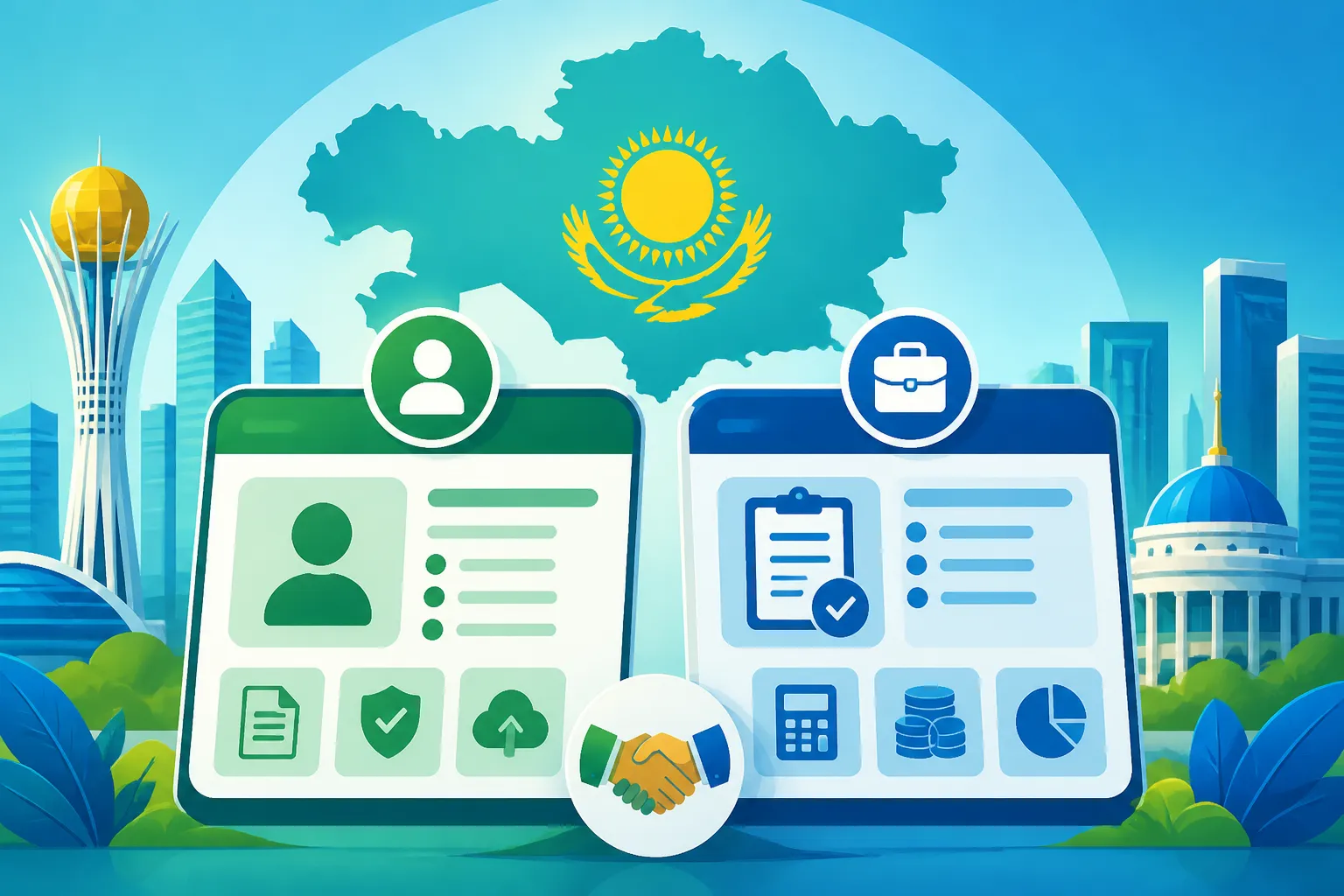
While eGov and the Taxpayer Cabinet are distinct entities serving different primary purposes, they are inextricably linked. Think of them as two key applications on the same operating system, both requiring the same master password and sharing fundamental user data. Understanding this connection is crucial for seamless navigation of Kazakhstan’s digital bureaucracy.
The Electronic Digital Signature EDS as the Unifying Key
I can't stress this enough: your Electronic Digital Signature (EDS) is the single most important tool you’ll acquire for almost all official digital interactions in Kazakhstan. It’s your universal key. You get it once, typically at a TsON, and it then serves as your secure login and legally binding signature for both the eGov portal and the Taxpayer Cabinet, as well as many other government and even some private online services.
Without a working EDS, you're essentially locked out of most of these digital services. It authenticates your identity and encrypts your communications, ensuring that your online transactions are secure and recognized by the state. The process of obtaining and setting up the EDS – installing the necessary software, ensuring browser compatibility (often requiring older versions of Internet Explorer or specific Firefox configurations, sometimes with Java plugins) – can be the most frustrating part of the entire digital journey. Many expats find themselves stuck at this stage. But once it’s set up, it truly unlocks the full potential of both eGov and the Taxpayer Cabinet, allowing you to move between them with relative ease.
Seamless Information Exchange and Cross-Referencing
One of the clever aspects of Kazakhstan's digital system is how data flows between different government platforms. Your IIN, which is your core identifier, acts as the thread that connects everything. When you register on eGov and use your EDS, your basic personal information (like your full name, IIN, and registered address) is accessible across various state databases.
This means that when you log into the Taxpayer Cabinet using the same EDS, the system already knows who you are based on your IIN. Any changes you make or information you update in one system (for instance, changing your registered address via eGov) should theoretically propagate to other linked systems, including the Taxpayer Cabinet. Similarly, if you make a tax payment through a bank or an e-payment system, that information is eventually reflected in your tax ledger within the Taxpayer Cabinet, which can then be cross-referenced by the State Revenue Committee. This interconnectedness aims to create a more unified picture of your administrative and financial status, reducing the need to submit the same documents repeatedly. It also means that ensuring all your information is consistent and up-to-date across platforms is paramount to avoiding future issues.
Practical Workflow: From Registration to Filing
Let's walk through a hypothetical, yet very realistic, workflow for an expat navigating these two portals.
- Arrival and IIN: You arrive in Kazakhstan, get your IIN sorted (this is usually done through a TsON or your employer).
- EDS Acquisition: With your IIN and passport, you visit a TsON to obtain your EDS. This involves biometric verification and generating your digital keys. This is often where the first technical battles begin – ensuring the EDS software is installed correctly on your computer.
- eGov Registration: Once your EDS is functional, you head to the eGov portal. You register an account using your IIN and EDS, confirming your identity. Now you have access to a vast array of general government services.
- Address Registration (via eGov): A crucial first step for most long-term residents is registering your temporary address. You might do this through eGov, often with your landlord's assistance. This is vital for migration compliance.
- Tax Residency Determination: Depending on how long you've been here and your intentions, you'll need to understand your tax residency status. This determines how your income is taxed. For guidance, refer to Tax Residency in Kazakhstan: A Definitive Guide for Expats (2027).
- Taxpayer Cabinet Access: When it's time to file taxes (or if you need to register as an IP), you’ll go directly to the Taxpayer Cabinet website. Again, you'll log in using your EDS. The system recognizes you via your IIN.
- Filing Your Declaration: Within the Taxpayer Cabinet, you navigate to the 'Tax Statements' section. Let's say it's time for your annual income declaration (Form 270). You select the appropriate form, fill in all your income details (local salary, foreign income if applicable, property income), and apply any deductions. This can be complex, and many expats opt for professional help from tax consultants or services like 'Taxes for Expats' to ensure accuracy.
- Submission and Payment: After thoroughly reviewing the form, you sign it digitally using your EDS and submit it through the portal. The system will then show you any tax liability. You can usually generate a payment order within the Cabinet, which you then use to make the actual payment via your bank (e.g., Kaspi.kz, Halyk Bank) or an e-payment system. If you're bringing funds from outside Kazakhstan for this, a service like Wise can help facilitate the transfer to your local account.
- Monitoring and Notifications: Regularly check both eGov and the Taxpayer Cabinet for any notifications from government bodies or the SRC, ensuring you don't miss any requests for clarification or additional information.
This integrated approach, while initially complex, ultimately centralizes your administrative and tax obligations, making it more manageable than dealing with disparate paper-based systems.
Common Challenges and Troubleshooting for Expats
Navigating digital government portals in any country can be a headache, but doing it in a foreign language, with different technical requirements and sometimes opaque instructions, can feel like climbing Everest barefoot. Kazakhstan's eGov and Taxpayer Cabinet are incredibly powerful tools, but they certainly come with their quirks. Trust me, I've been there, pulling my hair out trying to figure out why a specific plugin wouldn't load.
Language Barriers and Technical Glitches
The most immediate challenge for many expats is, unsurprisingly, the language barrier. While both eGov and the Taxpayer Cabinet offer English versions, the translations are not always perfect or comprehensive. Many forms or specific instructions might only be available in Kazakh or Russian, leaving you to rely on Google Translate or, ideally, a local friend or colleague for assistance. This isn't just about understanding the words; it's about comprehending the nuanced legal and administrative terminology.
Then there are the technical glitches. Ah, the technical glitches! These portals, especially the Taxpayer Cabinet, often require very specific browser settings, a functional Java plugin, and sometimes even a rather outdated version of a browser (like Internet Explorer, though this is thankfully becoming less common). Trying to get your EDS to load correctly, especially if it’s on a USB token, can be a trial. Common issues include:
- Browser Compatibility: The website might only fully function with specific browsers or versions.
- Java/Plugin Issues: An outdated or improperly configured Java installation can prevent your EDS from being recognized.
- Security Certificates: Your computer might not trust the website's security certificate, leading to error messages.
- VPN Interference: Sometimes, using a VPN can interfere with the connection to government servers, making it impossible to log in.
My advice? Always try using a clean browser profile (or even a different browser entirely) with minimal extensions. Temporarily disable your VPN if you suspect it's causing issues. And if you're battling with the EDS, often the issue lies in the crypto-provider software or Java settings. The official instructions for setting these up can be found on the eGov website, but they are often dense.
Understanding Tax Forms and Deadlines
Even if you overcome the technical hurdles, the content itself presents a significant challenge: understanding the tax forms. Kazakhstani tax forms, like Form 250 (Declaration of Assets and Liabilities) or Form 270 (Declaration of Income and Property), can be complex. They require specific codes, types of income classification, and a precise understanding of what information goes where. For example, knowing what deductions you're eligible for as an expat or how to correctly declare foreign income while avoiding double taxation can be incredibly intricate. This is a topic explored further in Understanding Income Tax and the Flat 10% Rate in Kazakhstan (2026).
Then there are the deadlines. Missing a tax filing deadline in Kazakhstan can result in penalties, ranging from administrative fines to more severe consequences for repeated or significant non-compliance. These deadlines are strict, and ignorance of the law is not an excuse. For instance, the annual individual income declaration (Form 270) often has a deadline around March 31st of the year following the reporting year. It’s crucial to mark these dates on your calendar and start preparing well in advance. Don't leave it to the last minute!
Seeking Assistance: Where to Go When You're Stuck
When you hit a wall, don't despair! There are avenues for help.
- Official Support: Both eGov and the Taxpayer Cabinet have helpdesks and technical support. You can usually find contact numbers or email addresses on their respective websites. Be prepared for potential language barriers here as well, but they are the first point of contact for technical issues.
- Public Service Centres (ЦОНы): For issues related to your IIN or EDS, visiting a TsON in person is often the most effective solution. They have specialists who can assist with technical setup or general queries.
- State Revenue Committee (SRC) Offices: For specific tax questions that the Taxpayer Cabinet support can't answer, a visit to your local SRC office might be necessary. Again, language assistance is highly recommended. You can find comprehensive details on how to interact with the SRC in Filing Your Tax Return with the State Revenue Committee in Kazakhstan: The Complete Walkthrough (2027).
- Expat Communities: Online forums (like those on Facebook or Telegram) for expats in Kazakhstan are goldmines of shared experiences and advice. Chances are, someone else has faced and overcome the exact problem you're encountering.
- Professional Tax Consultants: For complex tax situations, especially if you have multiple income streams, foreign investments, or are self-employed, I cannot recommend professional tax consultants enough. They specialize in expat tax law and can not only file your declarations correctly but also offer invaluable advice on optimizing your tax situation. Services like 'Taxes for Expats' are specifically geared towards helping foreigners navigate these complexities. Their expertise can save you significant time, stress, and potential penalties.
Beyond Basic Use: Advanced Tips and Best Practices
Once you've conquered the initial setup and navigated your first few transactions with eGov and the Taxpayer Cabinet, you'll start to feel a lot more comfortable. But being proactive and adopting some best practices can elevate your experience from merely surviving to thriving within Kazakhstan’s digital administrative ecosystem.
Regular Monitoring and Notifications
It’s tempting to just log in, do what you need to do, and then forget about these portals until the next deadline. However, a more proactive approach involves regular monitoring. The Taxpayer Cabinet, in particular, is where the State Revenue Committee will send official notifications, requests for information, or updates regarding your tax status. Ignoring these can lead to problems.
Make it a habit to log into the Taxpayer Cabinet at least once a month, or at least check your 'Notifications' section. Sometimes, the SRC might have a query about a previous filing, or there might be an update to your tax ledger. If you’ve registered your contact details correctly, you might also receive SMS or email alerts for new notifications, but it’s always best to check the portal directly to see the full message and respond if necessary. This proactive approach ensures you're always aware of your standing and can address any issues before they escalate.
Security and Data Protection
In an increasingly digital world, security and data protection are paramount, especially when dealing with personal and financial information on government portals. Your EDS is essentially your digital identity, so treating it with utmost care is critical.
- Keep your EDS private: Never share your EDS private key or password with anyone. Treat it like your physical passport and bank card.
- Secure Storage: If your EDS is on a USB token, ensure it’s stored securely. If it’s software-based, ensure your computer is password-protected and free from malware.
- Strong Passwords: Use strong, unique passwords for your eGov and Taxpayer Cabinet accounts (if you have a password-based login option in addition to EDS, though EDS is usually the primary method).
- Public Computers: Avoid using public computers for accessing these portals. If you must, ensure you log out completely and clear browser data afterward.
- Phishing Awareness: Be vigilant against phishing attempts. Government agencies will typically communicate through their official portals and registered mail, not through unsolicited emails asking for sensitive information. Always verify the URL.
Protecting your EDS and online credentials is your primary defense against identity theft and unauthorized access to your sensitive government records.
Preparing for Departure or Change of Status
Life in Kazakhstan, for many expats, is often temporary. When the time comes to leave the country, or if your employment or residency status changes, both eGov and the Taxpayer Cabinet will play a crucial role in ensuring a smooth transition.
If you are leaving Kazakhstan permanently, you’ll typically need to go through a tax clearance process. This involves ensuring all your tax obligations are settled up to your departure date. The Taxpayer Cabinet is where you'll review your final tax statements, confirm outstanding liabilities, and potentially file a final tax declaration. Your local State Revenue Committee office will also be involved in issuing a tax clearance certificate, which can sometimes be a requirement for exiting the country smoothly, especially for those who have been employed or registered as IPs. Neglecting this step could lead to issues if you ever plan to return or if Kazakhstan has a double taxation agreement with your home country.
Similarly, if your residence status changes (e.g., from a temporary work permit to permanent residency, or vice-versa), you might need to update your information through eGov, which then feeds into other systems. Maintaining accurate and up-to-date records through these portals will significantly ease any future administrative transitions.
By staying on top of your digital footprint in Kazakhstan, you're not just complying with local laws; you're actively managing your life here, making it less stressful and more enjoyable. These portals, while challenging at times, are your allies in navigating the administrative landscape.
eGov vs. Taxpayer Cabinet: A Quick Reference
To help you keep these two important portals straight, here's a handy comparison:
| Feature | eGov Portal (elektrondyq úkimet) | Taxpayer Cabinet (Кабинет налогоплательщика) |
|---|---|---|
| Primary Purpose | General government services, civic administration | Specific tax-related services, tax declarations |
| Accessed Via | eGov.kz website | Cabinet.salyk.kz website (State Revenue Committee) |
| Login Method | Primarily Electronic Digital Signature (EDS) with IIN | Primarily Electronic Digital Signature (EDS) with IIN |
| Key Services for Expats | Address registration, obtaining certificates, checking fines, civil registry info, driver's license services | Filing annual income tax (IIT) declarations, viewing tax liabilities, making tax payments, IP registration, submitting tax inquiries |
| Data Interaction | Central hub for personal info, feeds to other systems | Uses personal info from eGov (via IIN) for tax purposes, specialized tax ledger |
| Typical User Issues | Browser compatibility, EDS setup, language, navigating diverse services | EDS setup, complex tax forms, specific tax codes, payment processing, language of tax laws |
| Who to Contact for Help | eGov Helpdesk, TsONs | State Revenue Committee (SRC) Helpdesk, local SRC offices, tax consultants |
Remember, while distinct, your EDS and IIN are the bridges connecting these two vital platforms for your life in Kazakhstan.
Disclaimer
The information provided in this guide is for general informational purposes only and does not constitute professional legal or tax advice. While we strive to keep the information accurate and up-to-date, laws and regulations in Kazakhstan can change frequently. Expats should always consult with a qualified legal or tax professional in Kazakhstan for advice tailored to their specific situation. We are not responsible for any actions taken based on the information presented herein.