How Do I Set Up a Mobile Phone Plan in Kazakhstan?
Arriving in Kazakhstan, one of the very first things you'll realize – often the hard way – is just how vital a local mobile phone plan is. Forget navigating dusty streets with outdated maps or trying to coordinate with a new colleague; without a functioning local SIM card, you're essentially adrift. This guide is here to cut through the confusion and walk you through every step of getting yourself connected, from understanding your options to picking the right plan and staying topped up.
The Immediate Need for Connectivity: Why a Local SIM is Your First Priority
That feeling when you step off the plane in a new country, phone still desperately clinging to expensive international roaming, and you just want to call a taxi, check a map, or let someone know you've arrived safely? It's universally stressful. In Kazakhstan, where local apps and communication are king, getting a local SIM card isn't just a convenience; it's a foundational step to truly settling in.
Navigating the Initial Days: Your Options for Staying Connected
Before you dive into the world of local providers, you'll need a way to bridge the gap. Relying on airport Wi-Fi is a short-term fix at best, and international roaming can drain your bank account faster than you can say "Tenge."
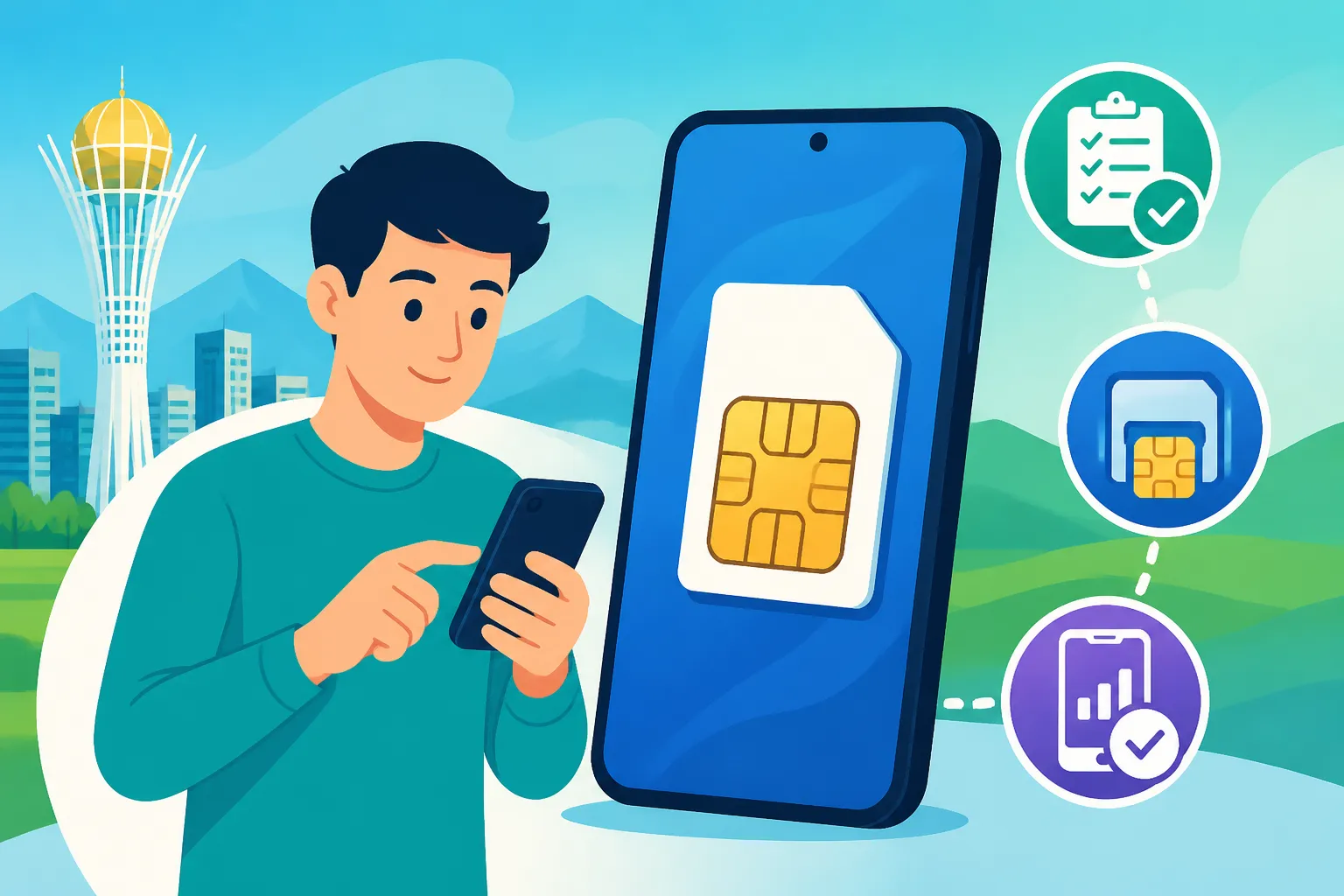
One increasingly popular solution for expats on the move is an eSIM. These digital SIM cards allow you to activate a local data plan without needing a physical SIM swap. Services like Airalo offer eSIMs for Kazakhstan that you can purchase and activate before you even land, giving you immediate data connectivity as soon as you switch on your phone. This is a brilliant way to have internet for your initial Uber rides, WhatsApp messages, and checking maps while you get your bearings. Think of it as your reliable, if slightly more expensive, data safety net for the first few days. It's often enough to get by until you can tackle the official registration process for a local SIM.
Why a Local SIM is Essential for Long-Term Living
While eSIMs or roaming can save you in a pinch, they are rarely cost-effective for anything beyond a few days or weeks. For long-term living, a local Kazakhstani SIM card is an absolute must. Why? Firstly, the cost savings are astronomical. Local calls and data packages are significantly cheaper. You’ll also need a local number for everything from signing up for essential services like Kaspi.kz – Kazakhstan’s ubiquitous banking and payment app – to setting up utilities, registering with the local clinic, or even just ordering food. Many services and platforms require a local number for verification or communication. Trying to manage life here with a foreign number is like trying to drive a square wheel – it just doesn't work efficiently. It's a key part of your journey to becoming truly settled in your new home, alongside other crucial tasks you'll find in resources like our guide on The Complete Guide to Moving to Kazakhstan: Your First 90 Days (2027).
Understanding Kazakhstan's Mobile Operators and Their Offerings
Kazakhstan's mobile market is dominated by a few major players, each with its own strengths and weaknesses. Getting to know them will help you make an informed choice that suits your needs. For a broader look at all your home connectivity needs, you might also want to check out our deep dive into How to Set Up Internet and Mobile Service in Kazakhstan.
Kcell: The Established Player with Wide Coverage
Kcell is often considered the most established and historically the premium provider in Kazakhstan. They generally boast strong network coverage, particularly in more remote and rural areas, which can be a huge plus if your work or leisure takes you outside the major cities. Their plans tend to be slightly more expensive, but they often come with robust customer service and reliable connectivity. Many long-term residents and businesses opt for Kcell due to its perceived stability. Their packages are typically comprehensive, offering a good balance of calls, SMS, and data, with various options for international calls if you frequently keep in touch with family abroad. If you value reliability and extensive coverage above all else, Kcell is often a solid choice.
Beeline Kazakhstan: Popular for Value and Data Deals
Beeline Kazakhstan is a fierce competitor, known for its attractive pricing and generous data packages. They've built a strong reputation for offering excellent value, making them a popular choice among younger users, students, and anyone who consumes a lot of mobile data. While their coverage is generally very good in urban centers and along major highways, it might not be quite as expansive as Kcell in the most remote corners of the country. Beeline often runs promotions and has flexible tariff plans that allow users to customize their bundles of minutes, SMS, and gigabytes. If you're looking for a good balance of cost and data, Beeline is definitely worth considering.
Tele2/Altel: The Budget-Friendly Options
Tele2 and Altel often operate under a unified network in Kazakhstan, providing a more budget-friendly alternative to Kcell and Beeline. They are particularly appealing if you're looking to minimize your monthly mobile expenses without sacrificing too much on connectivity. Historically, they might have had slightly less extensive coverage in very isolated areas, but their network has significantly improved over the years, especially in and around the major cities like Almaty and Astana. Their focus is often on high-value data plans and competitive local call rates. While customer service might sometimes be a bit more basic than the premium providers, for many expats, the savings make Tele2/Altel a compelling option. If you’re mindful of your budget and primarily stick to urban areas, these providers offer excellent bang for your buck. For more detailed comparison, you can read our guide on How to Choose a Mobile and Internet Provider in Kazakhstan.
The Step-by-Step Process to Get Your Kazakhstani SIM Card
Alright, let's get down to brass tacks. Getting a SIM card in Kazakhstan as a foreigner isn't as simple as just walking into a shop and buying one off the shelf – there are a few bureaucratic hoops you'll need to jump through. But armed with the right information, it's totally manageable.
Essential Documents You'll Need
This is where many expats hit their first hurdle. To legally register a SIM card in Kazakhstan, you absolutely need a few key documents:
- Your Passport: This should be your original, valid passport, not just a copy. The staff will need to scan it.
- Your IIN (Individual Identification Number): This is non-negotiable. The IIN is Kazakhstan’s equivalent of a national ID number, and it’s required for almost all official transactions, including mobile phone registration, banking, and pretty much everything else. You cannot get a registered SIM card without it. If you don't have one yet, your first priority should be to read our guide on How to Get an IIN (Individual Identification Number) in Kazakhstan or Understanding the IIN and Why You Need One in Kazakhstan. They'll need to enter this into the system, connecting your identity to the phone number.
- Proof of Temporary Registration (sometimes): While not always explicitly asked for at every mobile store, having proof of your temporary registration (often linked to your residential address) can smooth things over. The IIN is the primary requirement, but official registration is always a good idea. Make sure you’ve handled your How to Register Your Arrival with the Migration Service in Kazakhstan and have your local address sorted, perhaps through your rental agreement, as covered in The Complete Guide to Renting an Apartment in Kazakhstan (2027).
Always bring both the originals and a couple of photocopies of your passport and IIN document. Sometimes they'll make copies for you, but it's always better to be prepared.
Where to Buy Your SIM and Activate It
Your best bet for a smooth experience is to go to an official brand store for Kcell, Beeline, or Tele2/Altel. You’ll find these in major shopping malls (like Mega Center in Almaty or Khan Shatyr in Astana) or as standalone shops in city centers. Avoid independent kiosks or small electronics stores if you’re trying to register a SIM as a foreigner, as they might not have the correct procedures or staff trained for international passports and IINs.
Here's what to expect in an official store:
- Queue Up: Take a ticket or wait for an available consultant.
- Explain Your Needs: Clearly state you want to buy a new SIM card and register it to your name (Sim-karta zaregistrirovat' – a few key phrases in Russian or Kazakh will go a long way).
- Present Documents: Hand over your passport and IIN. They will enter your details into their system and likely perform a biometric scan of your face for identification purposes, which is standard procedure now.
- Choose Your Plan: The consultant will show you available tariff plans. Don't be shy about asking questions about data limits, call minutes, international rates, and package validity.
- Activation: Once the paperwork and registration are done, they will insert the SIM card into your phone and activate it for you. Test it there and then – make a quick call or try to access the internet to ensure everything is working. You might need to restart your phone.
The whole process might take 15-30 minutes, depending on the queue and the efficiency of the staff.
Choosing the Right Tariff and Data Package
This is where you tailor your new mobile plan to your actual usage. Don't just pick the cheapest or the one with the most data without thinking it through.
Consider the following:
- Data Usage: Are you a heavy streamer or mostly use Wi-Fi? Kazakhstani data packages are often quite generous, but it's good to know if you need, say, 15GB or 30GB per month. Many providers offer "unlimited" social media or messenger apps, so check if your primary apps are included.
- Call Minutes: Do you make a lot of local calls, or do you rely on WhatsApp for voice calls? Most plans include a bundle of local minutes, but international calls are usually separate. If you call home frequently, ask about international call bundles or rates to your specific country.
- SMS: Are SMS messages still a thing for you? Most communication in Kazakhstan happens via WhatsApp, Telegram, or local messengers, so SMS bundles might not be a top priority.
- Monthly vs. Pay-as-you-go: Almost all plans are monthly bundles. Pay-as-you-go is generally not cost-effective for regular usage.
- Network Coverage: While all major operators have decent coverage in cities, if you plan to travel extensively outside urban areas, it might be worth asking locals or checking online coverage maps for the best provider in your specific destinations.
Don't be afraid to ask for a breakdown of the costs and what happens when you exceed your data or minute limits. Understanding these details upfront can save you headaches later.
Managing Your Mobile Plan: Topping Up, Apps, and Customer Service
Once you have your SIM and chosen plan, the journey isn't over. You'll need to manage your account, keep it topped up, and know where to turn if issues arise.
Topping Up Your Balance and Renewing Plans
Keeping your phone active and your data flowing is thankfully very easy in Kazakhstan, thanks largely to the incredible Kaspi.kz system, which is omnipresent here.
Here are the primary ways to top up:
- Kaspi.kz: If you have a Kaspi Gold card and the Kaspi.kz app (which you absolutely should get – see our guide on The Expat Guide to Opening a Bank Account in Kazakhstan and How to Use Kaspi and Local Payment Systems in Kazakhstan), topping up your mobile balance is a breeze. Just open the app, go to "Payments" (Платежи), select "Mobile" (Мобильная связь), choose your operator, enter your number, and the amount. It's instantaneous. You can even set up auto-payment for your monthly plan.
- Payment Terminals: You'll see bright orange Kaspi terminals, blue QIWI terminals, and other payment kiosks everywhere – in supermarkets, malls, and even small shops. You can input your phone number, insert cash (Tenge), and top up your balance. Make sure to double-check the number before confirming!
- Operator Apps/Websites: All major operators have their own mobile apps and websites where you can manage your account and top up using a bank card.
To check your current balance or remaining data, you usually dial a short USSD code (e.g., *111# for Kcell, *102# for Beeline, *100# for Tele2/Altel, though these can change, so ask the store staff).
Understanding Operator Mobile Apps and USSD Codes
Every major mobile operator in Kazakhstan has its own dedicated mobile application. These apps are incredibly useful for managing your account directly from your smartphone. You can:
- Check your remaining data, minutes, and SMS.
- View your billing history and current tariff plan.
- Change your tariff plan or activate additional services (like international minute bundles).
- Top up your balance using your bank card.
- Find nearby service centers.
I highly recommend downloading your chosen operator's app as soon as you get your SIM. While some parts of the apps might be in Russian or Kazakh, key functions are often intuitive or have English translations available.
For quick checks and actions, USSD codes (Unstructured Supplementary Service Data) are still widely used. These are short number sequences you dial on your phone (like *XXX#) that bring up a menu or display information instantly. For example, *111# for Kcell might give you your main balance, while another code might show your data usage. The operator's website or app will list the most common USSD codes.
When You Need Help: Customer Service and Support
Let's be realistic: while customer service is available, English-speaking support can be a bit of a mixed bag. Don't expect seamless English service from every consultant, especially if you call a general helpline.
- In-Store Support: For more complex issues or if you're struggling with language, going back to an official brand store is often the best approach. Face-to-face communication, even with a language barrier, can be more effective.
- Phone Support: Each operator has a dedicated customer service number. Try using a simple phrase like "English speaker, please" (Govorite po-angliyski, pozhaluysta?) to see if they can transfer you. Patience is key here.
- Online Chat/Social Media: Some operators offer online chat support through their websites or social media channels (like Telegram). You might have better luck with written communication and using translation tools here.
If you have a local friend who speaks Kazakh or Russian, bringing them along for complex issues can be a lifesaver.
Potential Challenges and Insider Tips for Expats
Navigating a new country's bureaucracy always comes with its unique set of challenges. Kazakhstan is no different, but with a bit of foresight, you can sail through most of them.
The IIN Requirement and Temporary Registration
We've touched on the IIN (Individual Identification Number) multiple times, and for good reason: it's your key to pretty much everything official in Kazakhstan, including registering your SIM card. Some smaller kiosks might, very rarely, sell you an unregistered SIM without an IIN, but this is illegal and will eventually lead to your number being blocked. It also won't allow you to link your number to essential services like Kaspi.kz or eGov.
Ensuring you have your IIN first, and ideally your temporary registration (registration with the migration police at your residential address), will save you significant headaches. If you're struggling with getting your IIN or registration, remember these are often part of the broader process of settling in, as detailed in guides like The Complete Guide to Healthcare in Kazakhstan for Expats (2027) where an IIN is also a necessity for health insurance.
Language Barriers and Cultural Nuances
This is a recurring theme for expats everywhere, and Kazakhstan is no exception. While many young people in major cities might speak some English, especially in international business contexts, daily interactions with service providers can still be in Russian or Kazakh.
- Use Translation Apps: Google Translate or Yandex Translate are your best friends. Type in what you want to say, show it to the staff, and have them type their reply back.
- Learn Key Phrases: Even a few polite phrases like "Hello" (Salemetsiz be / Zdravstvuyte), "Thank you" (Rakhmet / Spasibo), "Please" (Otinem / Pozhaluysta), and "English?" (Angliyskiy?) can make a big difference.
- Patience is a Virtue: Things might move slower than you're used to, and misunderstandings will happen. A calm, patient approach will always yield better results than frustration.
Keeping Your Number Active and Porting Considerations
If you plan to leave Kazakhstan for an extended period but want to keep your local number active for future returns, make sure to ask your operator about their policy. Often, you simply need to maintain a small balance or make a transaction every few months. If your number goes inactive for too long, it might be reassigned.
Should you decide to switch operators down the line, Kazakhstan does support mobile number portability (MNP). This means you can keep your existing phone number even if you change providers. The process usually involves contacting your new desired operator, who will then coordinate the transfer with your old one. It typically takes a few days.
Moving to a new country like Kazakhstan involves a lot of moving parts, from setting up your home to sorting out finances. While Sirelo might be a fantastic resource for helping you with the logistics of moving your belongings, getting your phone connected is one of those immediate, on-the-ground tasks that truly helps you feel grounded. With this guide, you should be well on your way to staying connected throughout your Kazakhstani adventure!
Disclaimer
Please note that telecommunications policies, tariff plans, and document requirements in Kazakhstan can change. While this guide is compiled to be as accurate and up-to-date as possible, it is always advisable to check the latest information directly with the mobile operators or the relevant government websites.