How to Set Up Streaming and TV Service in Kazakhstan
Arriving in a new country like Kazakhstan is always an adventure, full of exciting discoveries and, let's be honest, a fair share of head-scratching moments. One of those moments often hits when you finally unpack, settle into your new apartment, and realize you just want to unwind with a familiar movie or TV show, only to be confronted with a brand new, bewildering world of local TV and streaming options. It can feel like being cut off from your usual comfort blanket of entertainment. This guide is here to walk you through exactly how to get your TV and streaming services up and running, so you can enjoy your evenings just like you would back home.
Understanding Your Options for TV and Streaming in Kazakhstan
When you first land in Kazakhstan, the thought of setting up your home entertainment might seem daunting. You're used to your Netflix, your local cable provider, or whatever streaming services were readily available in your home country. Here, things are a little different, and understanding the landscape is your first step to unlocking those cozy movie nights.
Local TV Providers and Packages
Kazakhstan, like any country, has its own robust ecosystem of local television. The core of this is often digital terrestrial television (DVB-T2), which provides a good number of local and regional channels for free if you have a compatible TV and antenna. However, for most expats looking for more variety, especially international content, you'll be looking at cable or satellite options.
The two big players you'll likely encounter are Alma TV and Otau TV. Alma TV is a prominent cable television provider, particularly strong in urban centers like Almaty and Astana. They offer various packages that include local Kazakh and Russian channels, which are a staple here, but also a selection of international channels focusing on news, sports, and entertainment. Think channels like National Geographic, Eurosport, or some movie channels, often dubbed into Russian or with Russian subtitles. The content can be a mix, and sometimes finding original English audio tracks requires some digging in your TV settings, if available at all. Subscription models vary, usually based on the number and type of channels you choose, with higher tiers offering more international variety.
Otau TV, on the other hand, is the national satellite television operator. This option is often preferred in more remote areas where cable infrastructure might be less developed, but it's also a solid choice in cities. Otau TV also provides a range of packages, again heavy on local and Russian content, but with options for international news and entertainment. The main difference is the setup – you’ll need a satellite dish installed, usually on your balcony or roof. While it might sound a bit old-school to some, it's a reliable service, and depending on your location and specific needs, it might even offer a broader selection of certain niche international channels than cable.
The key takeaway here is that while local TV offers a decent array of programming, especially if you're keen to immerse yourself in Kazakh or Russian language content, it might not replicate the extensive international options you're accustomed to. The pricing is generally quite affordable, making it a good baseline for news and local events.
The Rise of Streaming Services and VPNs
Now, let's talk about the digital frontier, which is often where expats truly find their entertainment solace: streaming. Back home, you probably had immediate access to Netflix, Disney+, Hulu, HBO Max, and a myriad of other services. Here in Kazakhstan, the situation is a bit more nuanced, and this is where Virtual Private Networks (VPNs) become your best friend.
Many international streaming platforms are available in Kazakhstan, but their content libraries are often tailored to the region. This means that while you can sign up for Netflix, for instance, the shows and movies available might be a significantly smaller or different selection than what you'd see in the US or UK. Disney+ launched in Kazakhstan relatively recently, offering a good selection, but again, it’s a regional version. Amazon Prime Video is also accessible, but its library might also be geographically restricted. Services like Hulu or specific regional sports packages are typically not available directly without some digital trickery.
This is precisely why a VPN enters the picture. A VPN allows you to route your internet traffic through a server in another country, effectively "tricking" streaming services into thinking you're browsing from that location. Want to watch the US Netflix library? Connect to a US server via a VPN. Access BBC iPlayer? Connect to a UK server. This isn't just about accessing more content; it's often about accessing your familiar content – the shows and movies you've been following for years.
However, using VPNs for streaming isn't always a smooth ride. Streaming companies are constantly trying to detect and block VPN usage to enforce their geo-restrictions, leading to a cat-and-mouse game. Some VPNs are better at bypassing these blocks than others. You might also notice a dip in internet speed, as your data has to travel further, or encounter buffering, especially if you're trying to stream in high definition. It's a trade-off, but for many expats, it's a worthwhile one to unlock their favorite shows. Choosing a reliable VPN provider is crucial, and we’ll dive into that a bit more later.
Navigating Local TV Services: Cable, Satellite, and Terrestrial
Once you've wrapped your head around the options, the next step is actually getting these services into your home. It’s not always as straightforward as it is in your home country, but with a bit of patience and the right information, you’ll be set up in no time.
Setting Up Cable TV with Providers like Alma TV
Alma TV is one of the most common cable TV providers across Kazakhstan, particularly dominant in the bigger cities like Almaty and Astana. If your apartment building is already wired for cable, which many modern ones are, setting up can be relatively painless.
The process usually starts by visiting an Alma TV customer service center. You'll need your passport and your Individual Identification Number (IIN). The IIN is absolutely essential for almost all official transactions in Kazakhstan, so make sure you've already obtained yours. If you're still early in your journey, our guide on How to Get an IIN (Individual Identification Number) in Kazakhstan can help you get this vital piece of paperwork sorted.
At the service center, you’ll choose your desired package. They typically have a range, from basic local channels to more premium tiers that include a selection of international news, sports, and entertainment channels. Don't be shy about asking to see the channel list, and confirm if there are any English audio tracks available for international channels, as this isn't always standard. Once you've signed the contract, they'll schedule an installation appointment. A technician will come to your apartment, hook up the cable box, and ensure everything is working. This usually involves a one-time installation fee, plus your monthly subscription.
Paying your monthly bill is usually quite convenient. Many providers integrate with local payment systems like Kaspi.kz, which is practically ubiquitous here. You can set up recurring payments or pay manually through the app. Alternatively, you can pay at bank branches or post offices. To manage your finances and navigate these local payment options, our guide on How to Use Kaspi and Local Payment Systems in Kazakhstan can be incredibly helpful.
Exploring Satellite TV Options: Otau TV
If you find yourself in a more rural area, or simply prefer the offerings of satellite television, Otau TV is the go-to. It's also a popular choice for those living in older buildings or areas where cable infrastructure might be less reliable or non-existent.
Setting up Otau TV involves getting a satellite dish installed, which is usually placed on a balcony or rooftop with a clear line of sight to the satellite. This is a bit more involved than cable and will definitely require a professional installer. You'll visit an Otau TV service center with your passport and IIN to sign up for a package. They will then arrange for a technician to come and install the dish, receiver, and activate your service. The initial costs will include the equipment (dish, receiver) and the installation fee, along with your first month's subscription.
Otau TV offers various packages, much like cable, with different tiers of channels. Again, the emphasis will be on local and Russian-language content, but with international news and some entertainment options. It’s worth noting that weather can sometimes impact satellite signal, particularly during heavy snow or storms, which is something to consider if you rely heavily on TV.
When comparing Alma TV and Otau TV, consider your location, the existing infrastructure in your building, and your specific channel preferences. Both offer reliable service, and the choice often comes down to convenience and what's easiest to install in your home.
The World of Online Streaming: Unlocking Content in Kazakhstan
For many expats, the real comfort comes from the vast libraries of international streaming services. But getting them to work exactly as you expect in Kazakhstan requires a bit of savvy.
International Streaming Platforms and Geo-Restrictions
Let's talk about the big names. Netflix is definitely available in Kazakhstan, and you can easily sign up for an account. However, as mentioned before, its content library is geo-restricted. This means the selection of movies and TV shows is curated for the Central Asian market, which can be quite different from what you're used to in your home country. You might find a good selection of Hollywood blockbusters and popular series, but specific titles or older seasons might be missing.
Disney+ also launched here, and while it provides access to the beloved Disney, Pixar, Marvel, Star Wars, and National Geographic content, its local library size can also vary compared to other regions. Amazon Prime Video is another player, offering its Prime Video library, which, like Netflix, changes based on your geographical location.
Other services like HBO Max, Hulu, or BBC iPlayer are typically not directly available in Kazakhstan. If you try to access them without a workaround, you'll simply be met with a "not available in your region" message. This is where the magic of a VPN truly shines.
One common hurdle expats face when trying to subscribe to international services or even some local ones is payment. Your foreign credit card might not always work smoothly. Many services prefer local Kazakhstani cards. This is why opening a local bank account, perhaps with a bank like Kaspi or Halyk, and getting a local debit card, is often one of the first things expats do. Our guide on Understanding the Tenge (KZT) and Foreign Currency Accounts in Kazakhstan can give you more insights into managing your money locally.
The Essential Role of a VPN for Expats
For many of us, a VPN isn't just a nice-to-have; it's practically essential for maintaining a sense of normalcy and accessing the digital content we cherish. Imagine moving all the way to Kazakhstan, and suddenly you can't catch up on your favorite series or watch a specific sporting event. That’s where a good VPN becomes your digital passport.
Why a VPN is a must-have:
- Accessing your home country's streaming library: This is the primary reason for many. Whether it’s Netflix, Disney+, BBC iPlayer, Hulu, or regional sports channels, a VPN lets you appear as if you’re browsing from your home country.
- Bypassing geo-restrictions: Not just for streaming, but for certain websites, news outlets, or even online games that might be restricted here or vice versa.
- Enhanced privacy and security: While accessing geo-restricted content is a popular use, VPNs also encrypt your internet connection, protecting your data from prying eyes, especially when using public Wi-Fi.
How to choose a reliable VPN provider:
When choosing a VPN for streaming, speed and a good selection of server locations are paramount. You’ll want servers in the countries where your desired streaming content is available. Look for providers that offer:
- Fast speeds: Essential for smooth, buffer-free streaming.
- Numerous server locations: The more options, the better your chances of finding a working server for your chosen service.
- Strong encryption and a no-logs policy: For privacy.
- Dedicated streaming servers: Some VPNs optimize servers specifically for streaming.
- Apps for various devices: You'll want to use it on your laptop, phone, and potentially your Smart TV or streaming stick.
Popular and generally reliable VPN providers often include ExpressVPN, NordVPN, and Surfshark. These services typically have a good track record of bypassing geo-blocks, though it’s never a 100% guarantee as streaming services continuously update their detection methods. They also usually offer free trials or money-back guarantees, so you can test their performance before committing.
Step-by-step guide to setting up and using a VPN for streaming:
- Subscribe to a reputable VPN service: Download their app onto your computer, phone, or streaming device.
- Open the VPN app and log in.
- Choose a server location: Select a server in the country whose content library you wish to access (e.g., USA for US Netflix, UK for BBC iPlayer).
- Connect to the server.
- Open your streaming app or website: Now, when you launch Netflix, it should present you with the content library of the country you've connected to.
It's important to remember that using a VPN for personal use is generally legal in Kazakhstan. However, always be aware of the terms of service for the individual streaming platforms you use, as some explicitly state that using a VPN to bypass geo-restrictions is against their terms.
Internet Connection: The Backbone of Your Streaming Experience
Let's face it, without a solid internet connection, all your grand plans for binge-watching your favorite shows will fall flat. In Kazakhstan, getting reliable internet is usually quite straightforward and often more affordable than in many Western countries.
Choosing an Internet Provider for Streaming
Kazakhstan has a well-developed internet infrastructure, especially in cities. You'll find a few major players competing for your business:
- Kazakhtelecom (Kazakhtelecom JSC): This is the national telecommunications provider and often the default choice, offering extensive fiber optic coverage. They are generally reliable and have various plans, often bundled with landline phone services.
- Beeline: A major mobile operator that also offers home internet services, often through a mix of fiber and fixed wireless solutions.
- Tele2/Altel and Kcell: Primarily mobile operators, but they also offer robust mobile internet plans (4G/5G) that can be used for home internet via a mobile router or hotspot, especially if you're in a pinch or live in an area without fiber.
When choosing an internet provider, consider your streaming habits. For standard definition (SD) streaming, 5-10 Mbps is usually sufficient. For high definition (HD), you’ll want at least 15-25 Mbps. And for glorious 4K streaming, aim for 25-50 Mbps or higher. Most fiber optic plans in Kazakhstan easily meet these speeds, offering plans from 100 Mbps up to 1 Gbps.
Getting your internet set up typically involves visiting a provider's office with your passport and IIN, signing a contract, and scheduling an installation. A technician will come to your apartment to set up the router and ensure connectivity. If you're wondering about the overall process of setting up utilities, our guide on How to Set Up Internet and Mobile Service in Kazakhstan covers this in much more detail.
For temporary stays or if you're still sorting out a fixed-line connection, mobile internet can be a surprisingly good stop-gap. You can buy a local SIM card from Beeline, Tele2/Altel, or Kcell, often with generous data packages. For ultimate flexibility when first arriving, or if you travel frequently, consider an eSIM service like Airalo. It allows you to get mobile data without needing a physical SIM, which can be a lifesaver for staying connected right from arrival.
Optimizing Your Home Network for Entertainment
Even with a fast internet plan, a poorly optimized home network can lead to buffering and frustration. Here are a few tips to ensure your streaming experience is top-notch:
- Router Placement: Place your Wi-Fi router in a central location in your apartment, away from large metal objects or other electronics that might cause interference. Higher is often better.
- Ethernet Connection: For your primary streaming device (Smart TV, media box), if possible, connect it directly to your router with an Ethernet cable. A wired connection is always more stable and faster than Wi-Fi, eliminating potential wireless interference.
- Wi-Fi Extenders/Mesh Systems: If you have a large apartment or areas with poor Wi-Fi signal, consider a Wi-Fi extender or a mesh Wi-Fi system. These boost your signal and create a more uniform coverage throughout your home.
- Router Reboot: Sometimes, the simplest solution is the best. If your internet starts acting up, a quick reboot of your router can often resolve minor connectivity issues.
- Bandwidth Management: If multiple people are using the internet for gaming, video calls, and streaming simultaneously, consider enabling Quality of Service (QoS) settings on your router, if available. This allows you to prioritize traffic for streaming, ensuring it gets the bandwidth it needs.
Occasional internet speed fluctuations or outages can happen, just like anywhere else. Having a good mobile data plan on your phone can serve as a backup for lighter streaming needs if your main connection goes down temporarily.
Hardware and Devices for Your Entertainment Hub
Once you have your TV service or streaming subscriptions sorted and your internet is humming, you need the right gear to bring it all to life. Kazakhstan's electronics market is quite modern, and you'll find most of what you need.
Smart TVs, Streaming Sticks, and Media Boxes
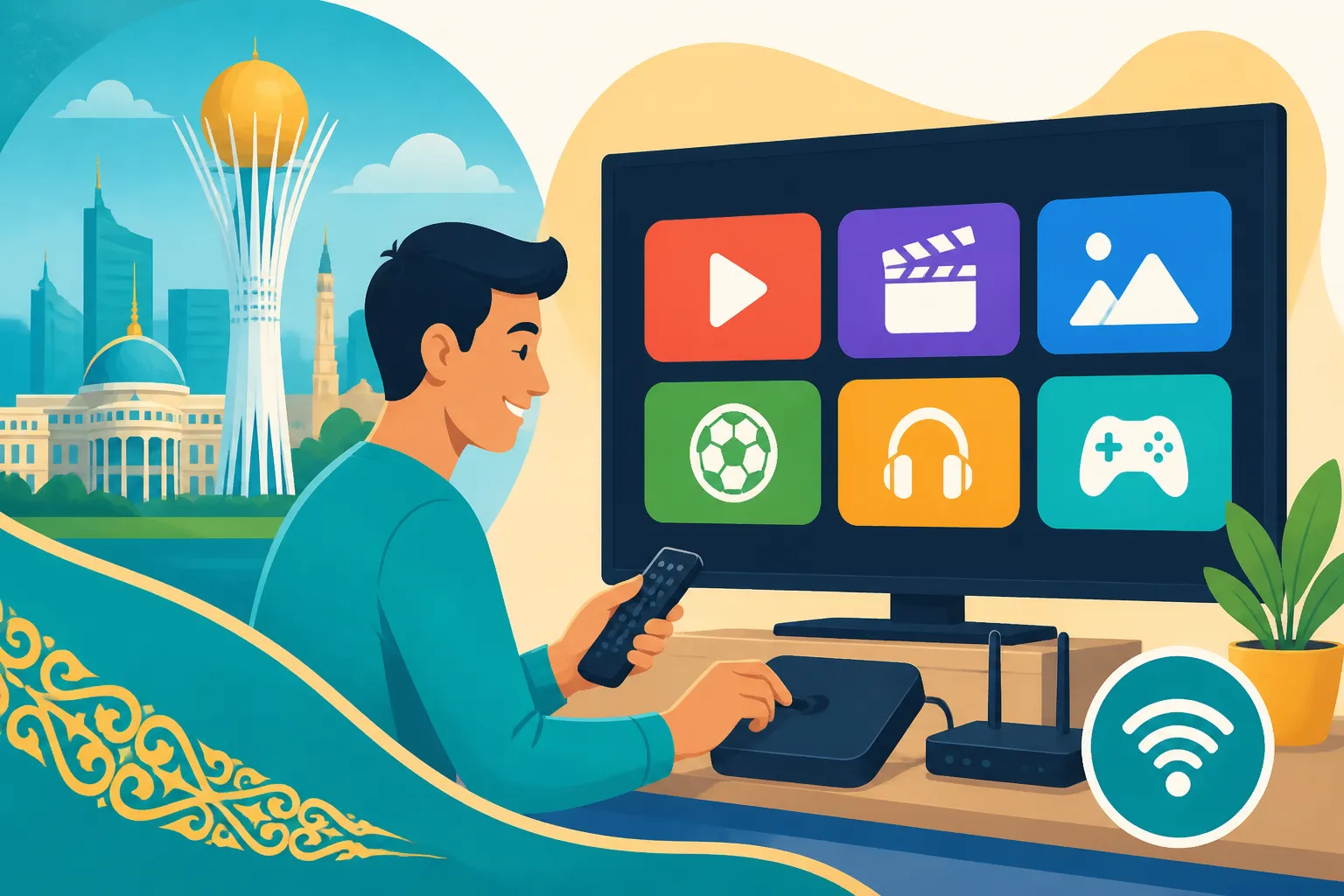
Smart TVs: These are widely available in Kazakhstan, from all the major international brands like Samsung, LG, Sony, and Xiaomi. You can find them at large electronics retailers such as Technodom and Sulpak, or through online marketplaces. A Smart TV usually comes with pre-installed apps for services like Netflix and YouTube, and you can download more from its app store. This simplifies things immensely, as you often don't need additional devices for basic streaming. Just connect it to your Wi-Fi (or Ethernet), log into your streaming accounts, and you're good to go.
Streaming Sticks (e.g., Amazon Fire Stick, Google Chromecast) and Media Boxes (e.g., Apple TV, Android TV boxes): If your TV isn't "smart" or you prefer a specific streaming ecosystem, these devices are a fantastic solution.
- Amazon Fire Stick: Popular globally, it offers a wide range of apps and a user-friendly interface. While Amazon doesn't have a huge presence in Kazakhstan, you can find Fire Sticks at local electronics stores or order them online from international sites.
- Google Chromecast: This is a simple device that allows you to "cast" content from your phone or computer to your TV. It's affordable and effective, especially if you mainly stream from mobile devices.
- Apple TV: If you're deep in the Apple ecosystem, this is a natural fit. It offers a premium experience, excellent app support, and integrates well with other Apple devices.
- Android TV Boxes: These are mini-computers that run Android TV, offering a vast array of apps and more customization options. Many local stores carry various brands of Android TV boxes.
The key advantage of these devices is their portability and ability to transform any HDMI-enabled TV into a Smart TV. They also often provide more control over app installations and can sometimes be configured with VPNs directly or through a VPN-enabled router, which is a more advanced setup. When purchasing locally, make sure the device supports your desired languages and app ecosystem.
Projectors and Sound Systems for the Ultimate Setup
If you're a true cinephile or simply love hosting movie nights, upgrading to a projector and a dedicated sound system can transform your living room into a private cinema.
Projectors: High-quality projectors are available in Kazakhstan, again at major electronics stores like Technodom and Sulpak. You can find everything from affordable entry-level models to premium 4K projectors. Consider factors like brightness (lumens), resolution (HD, Full HD, 4K), and throw distance (how far the projector needs to be from the screen) when choosing. A good screen is also essential for optimal image quality.
Sound Systems: From simple soundbars to elaborate 5.1 or 7.1 surround sound setups, the options are plentiful. Soundbars offer a significant upgrade over built-in TV speakers without the clutter of multiple speakers. For a truly immersive experience, a full surround sound system with an AV receiver, multiple speakers, and a subwoofer will deliver cinematic audio. When setting up a sound system, think about your room size, acoustics, and how to discreetly run cables (or opt for wireless solutions).
Local electronics retailers like Technodom and Sulpak are excellent places to start your search for both projectors and sound systems. They often have demo areas where you can test out the equipment. Online marketplaces can also offer competitive prices, but always exercise caution and verify seller reputation. Remember that setting up a robust entertainment system will require some space, so consider this when you're looking for an apartment. Our guide on How Much Does It Cost to Rent an Apartment in Almaty in 2026? might give you an idea of rent prices and sizes available.
Troubleshooting Common Issues and Pro Tips
Even with everything set up perfectly, you might run into a snag or two. It's just part of the expat experience in Kazakhstan – sometimes things require a bit of extra patience or a clever workaround.
Dealing with Geo-Blocking and VPN Detection
This is probably the most common frustration for expats relying on VPNs for streaming. You've connected to your VPN, launched Netflix, and instead of your home country's library, you get the dreaded "proxy detected" message, or it still shows the Kazakhstani content. Don't despair, this is a common battle!
What to do when your VPN is detected:
- Change VPN servers: The first and easiest step. Disconnect from your current VPN server and try connecting to a different server in the same country. Streaming services actively block known VPN server IP addresses, so some servers might be blacklisted while others are still working.
- Clear your browser's cache and cookies: Websites often store location information in your browser data. Clearing these can remove old geo-location clues that are tipping off the streaming service. If you're using an app, try clearing its data/cache in your device settings.
- Try a different VPN protocol: Most VPNs offer different protocols (OpenVPN, WireGuard, IKEv2). Experiment with these in your VPN app's settings, as some might be more effective at bypassing detection.
- Update your VPN software: Ensure your VPN app is always up-to-date. Providers frequently release updates to counter new geo-blocking measures.
- Contact VPN support: If you're consistently having issues with a particular streaming service, reach out to your VPN provider's customer support. They often have specific recommendations or can direct you to servers that are currently working for streaming.
Alternative Solutions: Smart DNS services:
A Smart DNS service (sometimes offered by VPN providers or as standalone services) can also help bypass geo-restrictions. Unlike a VPN, it doesn't encrypt your internet traffic or change your IP address, but it re-routes specific DNS queries. This often results in faster speeds for streaming, as there's no encryption overhead, but it offers no privacy benefits and works differently across services. Some people use a combination of both: VPN for full privacy and specific geo-unblocking, and Smart DNS for faster streaming on compatible devices.
Language Barriers and Content Discovery
While you might be primarily focused on English content, you’ll also encounter local Kazakh and Russian programming. Embracing some of this can be a fun way to immerse yourself in the local culture.
Finding English content on local TV:
As mentioned, local cable and satellite providers often include a selection of international channels, such as news channels (BBC World News, CNN International), sports (Eurosport), or documentary channels (National Geographic). These will generally be in English, though sometimes with Russian voice-overs or subtitles. Dig into your TV's settings or the cable box menu; some international channels might offer an "audio track" option where you can switch to the original English if available. It's not common, but worth checking.
Using app stores to find international apps:
If you have a Smart TV or a streaming stick/media box, explore its app store. While the default region might be set to Kazakhstan, you can often change the region in the device's settings (or your connected account, like Google or Apple ID) to access app stores from other countries. This can unlock more apps that might not be available in the Kazakhstani store, although some might still be geo-blocked without a VPN.
Leveraging online communities for recommendations:
Expat groups on social media platforms like Facebook, or forums dedicated to living in Kazakhstan, are invaluable resources. Many expats have already navigated these waters and are happy to share their experiences, recommendations for VPNs, specific TV packages, or even local spots to find good electronics. Engaging with these communities can save you a lot of time and frustration. You might even discover hidden gems of content or alternative ways to get what you're looking for.
Comparison of Entertainment Options
To give you a clearer picture, here's a quick comparison of the common entertainment options in Kazakhstan:
| Feature | Local Cable/Satellite TV (e.g., Alma TV, Otau TV) | International Streaming (via VPN) | Local Streaming (without VPN) |
|---|---|---|---|
| Content Focus | Kazakh, Russian, some International news/sports | Home country library, vast international selection | Regional international titles, some local content |
| Setup Difficulty | Medium (installer required for satellite) | Easy (app install), VPN setup can be tricky | Easy (app install) |
| Cost (Monthly) | Low to Medium (depending on package) | Low to Medium (VPN cost + subscription fees) | Low to Medium (subscription fees) |
| Language Options | Primarily Kazakh/Russian, some English | Usually original audio with subtitle options | Varies; often original audio or Russian dubs/subtitles |
| Reliability | Generally high, some weather impact for satellite | Varies by VPN, potential speed/buffering issues | High (dependent on internet connection) |
| Required Gear | Cable box/Satellite dish & receiver, TV | Smart TV/Streaming stick, VPN subscription, good internet | Smart TV/Streaming stick, good internet |
| Best For | Local news, cultural immersion, basic entertainment | Expats wanting home country content, specific shows | Casual viewing of regionally available international content |
This table should help you weigh the pros and cons of each option based on your personal preferences and priorities. Many expats find a hybrid approach works best: a basic local TV package for news and local flavor, combined with a robust internet connection and a reliable VPN for their personalized streaming needs. Remember, settling into your new home, including getting your entertainment sorted, takes time. Be patient with yourself, and don't hesitate to ask for help from fellow expats. For broader moving advice, especially regarding things like packing and getting set up, consider checking out resources like Sirelo to help smooth your transition. Our article on The Complete Guide to Moving to Kazakhstan: Your First 90 Days (2027) also provides a comprehensive overview of essential steps after your arrival.
Disclaimer
The information provided in this guide is intended for general informational purposes only and does not constitute professional advice. While we strive to keep the information up-to-date and accurate, regulations, service offerings, and prices in Kazakhstan can change frequently. Expats are advised to verify all details with official sources, service providers, and relevant authorities before making any decisions. The use of VPN services should always comply with the terms of service of any streaming platform or online service.